
Inside Logic Pro's ProjectData
I’ve been editing my podcast Rebuild by hand for years. After I import the recordings into Logic Pro and run Strip Silence, nearly everything else is manual. I listen through the episode and fix the spots where the two of us talk over each other, or where an odd silence runs on for more than a few seconds.
Recently I started looking at automating some of this tedious work with AI agents. Pre-processing and loudness normalization were easy, since they only need the WAV files. The actual edits were harder, because Logic Pro has no API, no MCP server and no scripting interface.
Then I had an idea. Rather than teaching an agent to operate Logic Pro, I would make the edits in Logic myself and let the agent compare the project files before and after. Maybe Claude Code could learn from those diffs how to make the same edits. I tried it, and it worked: Claude Code reverse-engineered the structure of Logic Pro’s project files, in particular the file called ProjectData.
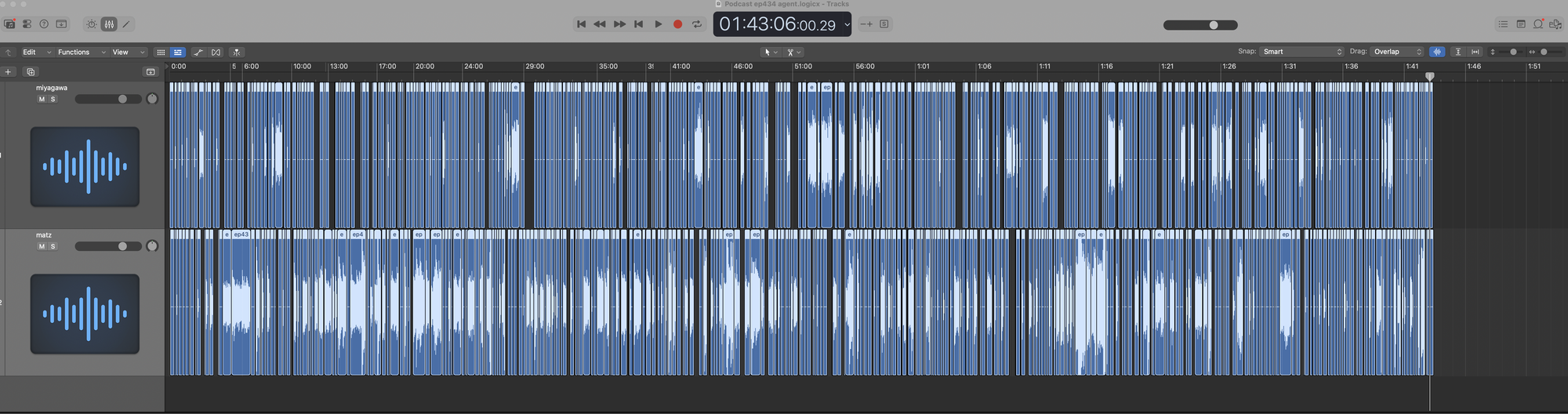
What follows is the write-up Claude Code produced from that work. If you want to build a similar tool with an AI agent, I hope it’s a useful starting point.
Everything here comes from Logic Pro 12.4 podcast projects: audio tracks only, 48 kHz, at the default 120 bpm. MIDI, Flex Time, takes, comping and fades are not covered, and probably use structures we never saw. Everything is little-endian, offsets are in bytes, and the field names are ours.
The bundle
A .logicx project is a macOS package, i.e. a directory:
Podcast ep434.logicx/
├── Resources/ProjectInformation.plist
├── Media/Audio Files/
│   ├── ep434 host RAW.wav
│   └── ep434 guest RAW.wav
└── Alternatives/000/
    ├── ProjectData            <- nearly everything
    ├── MetaData.plist         <- paths of the media
    ├── DisplayState.plist, WindowImage.jpg, ...
    └── Project File Backups/  <- older ProjectData
Each “alternative” (Logic’s project versions) gets its own numbered folder. MetaData.plist is how the file names inside ProjectData become paths on disk. Watch out: a copy made with Logic’s own “Save As” can list the original project’s media by absolute path, so a copied bundle may still be playing audio out of another project.
Chunks
ProjectData starts with a 24-byte (0x18) file header: the magic number 23 47 c0 ab, a few version bytes, and at 0x10 a u32 holding the length of everything after the header. After that it’s a flat list of chunks, back to back, with no index and no padding. Each chunk is a 36-byte header followed by its data:
| Offset | Type | Field |
|---|---|---|
| 0 | char[4] | tag, stored reversed: gRuA on disk is an AuRg chunk |
| 4 | u16 | varies by tag (3 for AuRg, 4 for AuFl, 1 for EvSq); probably a record version |
| 10 | u16 | group |
| 14 | u32 | index within the group, 0xffffffff if none |
| 28 | u64 | data length, not counting the header |
The rest of the header bytes are unknown. We copy them from an existing chunk of the same kind. Here is a real AuRg header, group 0, index 0, 227 bytes of data:
000  67 52 75 41 03 00 0b 00  00 00 00 00 00 00 00 00
016  00 00 ff ff ff ff 02 00  00 00 02 00 e3 00 00 00
032  00 00 00 00
The data lengths add up exactly to the end of the file, which gives a cheap sanity check. If you don’t land on the last byte when you walk the chunks, you’re looking at a layout you don’t understand:
pos = 0x18
while pos + 36 <= len(d):
    length, = struct.unpack_from("<Q", d, pos + 28)
    tag = d[pos:pos + 4][::-1].decode("latin1")
    yield tag, d[pos:pos + 36], d[pos + 36:pos + 36 + length]
    pos += 36 + length
assert pos == len(d)
We found no checksum, over the file or over any chunk. You can insert chunks and resize them as long as every length is right, including the one in the file header. Our first version forgot to update that one. Logic opened the files anyway, but it’s better not to rely on that.
A two-hour edited episode is about 950 KB and 3,800 chunks. Most of them are AuRg (1,785, one per audio region) and AuCO (802, mixer-side, not decoded). There are also AuCU (plugin state), Trak (track lists), Envi (channel strips), MSeq, TxSq (text), Song, Trns and a handful of others. To edit regions we only had to write three of them: EvSq, AuRg and AuFl. That’s why the edit doesn’t touch the mixer at all.
The order seems to matter, or at least we always keep it: Song, then interleaved MSeq/Trak/EvSq groups, then Trns, then the audio pool. In the pool, each AuFl is followed directly by all of its AuRg chunks.
How things refer to each other
Nothing points by file offset. References are (group, index) pairs taken from chunk headers:
EvSq event
  │  group @44, index @40
  ▼
AuRg
  │  header group
  ▼
AuFl
  │  file name
  ▼
MetaData.plist  ->  Media/Audio Files/*.wav
Groups go up in steps of 4: the first audio file is group 0, the second is group 4. Within a group, AuRg indices are contiguous from 0. Region 0 covers the whole file and isn’t placed on the timeline; it’s the file as it shows up in the project’s audio bin.
EvSq: the arrangement
Every sequence is an EvSq chunk, and the arrangement is simply the largest one. Its data is a run of fixed 80-byte events, one per region placement, followed by a 16-byte trailer. An empty arrangement is just the trailer. Audio region events start with 0x24, which is a good check that you’re reading the right sequence.
This event places a 4.23-second guest region at 0:00:18.15:
000  24 00 48 e1 1b 0f 01 00  00 00 00 00 00 00 00 80
016  5c 00 00 00 02 00 00 89  00 00 00 00 ff ff ff 3f
032  ff ff ff ff 00 00 00 bc  21 00 00 00 04 00 00 00
048  00 06 00 00 00 00 06 8a  01 00 00 00 00 00 00 00
064  00 00 00 00 00 00 00 89  00 00 00 00 00 00 00 00
| Offset | Type | Field | Example |
|---|---|---|---|
| 0 | u8 | event type, 0x24 = audio region |
0x24 |
| 2 | u48 | position on the timeline | 0x010f1be148 |
| 16 | u32 | track: the channel strip object it plays through | 92 |
| 20 | u8 | track number, 1-based | 2 |
| 40 | u32 | region index of the AuRg it plays |
33 |
| 44 | u32 | region group, i.e. which audio file | 4 |
The other bytes were the same in every event we looked at. An event has no length of its own: it plays the whole region it points at. So to trim a placement, you need a different region.
Time
Positions count MIDI ticks × 65536, from an origin of 0x87000000. At 120 bpm and 960 ticks per quarter note, one second is 1920 ticks:
seconds = (position - 0x87000000) / 65536 / 1920

(0x010f1be148 - 0x87000000) / 65536 / 1920
  = 2,283,528,520 / 125,829,120
  = 18.1479 s
Regions measure their source in samples. At 48 kHz, one sample is 65536 × 1920 / 48000 = 2621.44 position units, so 25 samples is exactly 65536. If you snap the positions you write to multiples of 25 samples, they stay exact integers. A project at another tempo, or with tempo changes, will map ticks to seconds differently. Ours never leave 120 bpm. The tempo map is its own EvSq of 32-byte events starting with 0x60, with the tempo as a u32 of bpm × 10000 at +16 (1,200,000 for 120 bpm), so a tool can check this before it writes anything.
AuRg: a region
A region is a span of one audio file: where it starts in the file, how long it is, and a name. The name has variable length, and every field after it is relative to where the name ends, after padding. We call that point the tail.
| Offset | Type | Field |
|---|---|---|
| 0 | u8 | in use: 1 if an event places it, 0 if it’s only in the pool |
| 3 | u8 | 0x10 |
| 6 | u64 | source start, in samples |
| 22 | u64 | length, in samples |
| 38 | u8 | 1 on every region except index 0 |
| 42 | u64 | region ID, unique in the project |
| 74 | u16 | name length n in bytes |
| 76 | UTF-8 | name, plus one NUL if n is odd; tail = 76 + n + (n & 1) |
| tail+48 | u16 | own index, repeated from the chunk header |
| tail+86 | 16 bytes | a UUID |
| tail+133 | end of data |
The region played by the event above has source start 8,641,927 samples (180.04 s into the guest’s recording), length 203,105 samples (4.23 s), and the 10-byte name ep434 matz. Since the name is even, there’s no pad, the tail is at 86, and its own index, 33, sits at 134.
AuFl: an audio file
There’s one AuFl per audio file. The file name is UTF-16LE, so the fields after it are relative to t = 10 + 2n:
| Offset | Type | Field |
|---|---|---|
| 8 | u16 | name length n, in UTF-16 code units |
| 10 | UTF-16LE | file name |
| t | char[8] | LFUA (“AUFL” reversed), then flags |
| t+0x196 | u32 | file size in bytes |
| t+0x1c8 | char[4] | EVAW (“WAVE” reversed) |
| t+0x1d0 | u32 ×2 | offset of the WAV data chunk; number of frames |
| t+0x1dc | u32, u16, u16 | sample rate, channels, bits |
| t+0x1fc (t+508) | u32 | region count: how many AuRg chunks belong to this file |
| t+0x200 | u32 | file number, 1-based |
| t+0x206 | u32 | group of the next file; 0xffffffff ends the list |
How Logic itself edits
We learned the write rules by watching what Logic does to its own files: make one edit in Logic, save, and decode the before and after.
- Delete removes the event. The
AuRgstays in the pool, unreferenced. One episode I edited by hand had 70 of these. - Trim appends a new
AuRgwith the next index in that file’s group, right after the group’s last region, with.1added to the name, and points the event at it. The old region is left alone. - Split is two trimmed copies plus one extra event. Move changes only the position.
- Any save rewrites
Song(IDs and timestamps), twoEnvichunks (window state) and the project-nameMSeq. When we compared a project with Logic’s copy of it, those were the only differences.
An editor that does the same things works. Rewrite the arrangement EvSq, append new AuRg chunks, and fix up the counts and flags below. Our first real test was an 88-second ripple cut: 31 events deleted, two regions trimmed, and every later event shifted. Logic opened and played it, and when it saved, every AuRg, EvSq and AuFl chunk came out byte-identical to what we had written.
Traps
Each of these came from a file that broke, or from a field Logic quietly changed on its next save.
Raise the AuFl region count. The u32 at t+508 must equal the number of AuRg chunks in that file’s group. If it’s too low, Logic opens the project without complaint, puts all the moved events in the right place, and silently drops every region past the count. Our first attempt left a gap on the guest’s track because of this. Your decoder should assert that the count matches the pool.
Pad odd-length region names. A region name with an odd byte length gets a NUL after it, and every later field moves by one byte. We wrote a 9-byte name (ep432 hak) without the pad, and Logic said the project was damaged.
Keep the in-use flag right. Set byte 0 to 1 on regions you place and to 0 on regions nothing references any more. Logic tolerates a wrong flag, but it corrects it on its next save, so you’ll see a diff.
Write the own index. A new region needs its index in the chunk header (+14) and at tail+48. If the second one is missing, Logic fills it in on save.
Never write a project Logic has open. Logic keeps the project in memory and overwrites your edit the next time it saves. We always write a new bundle instead. An APFS clone (cp -c) means the media costs no extra disk space.
Building a project from scratch
Eventually we stopped editing projects that Logic had made and started building the episode project directly: an empty template plus the pre-edit AAF. That needed a few more pieces:
- The audio pool goes right after the
Trnschunk. EachAuFlis followed by region 0 (the whole file) and then one region per placement. - Tracks. There are several runs of
Trakchunks. The arrangement’s run is the one whose entries have0x13at data byte 1, and the arrangementEvSqcomes right after it. A track entry (data byte 0 = 1) has a u32 at +8 for its channel object. That’s the same value an event stores at +16, and it’s also the group of anEnvichunk, whose byte0xABis the channel strip number. - Track names live in a
TxSqtext chunk with its own group. TheTrakentry points to it: data byte 2 =0x14, byte 4 = the group. - Gain. Plugin state is in
AuCUchunks. In Logic’s Gain plugin, each parameter block is markedGAMETSPPand stores the value twice: a float rounded to whole dB at +16, and the exact value (0.1 dB steps) at +32.
What we don’t know
Most of the bytes in the chunk headers and the events. Anything about MIDI, Flex, fades or automation. Other tempos and sample rates. And whether any of this survives the next Logic update. Anything that writes this format should check the structure before it writes, and refuse if something’s off: chunk lengths must end exactly at the end of the file, events must start with 0x24, every referenced region must exist, and each file’s region count must match its pool.
In the end, the only test that counts is Logic opening the file. But Logic will also open a file that’s subtly wrong, so after Logic re-saves the project, decode that saved file and diff it against what you wrote.
Related work
Others have been working on the same file:
- LogicProFormatWriter writes whole projects from scratch (tempo and meter maps, markers, tracks, audio and MIDI regions) and has a long byte-level spec from Logic 11.2. It’s what daw2logic uses to convert DAWproject files to Logic.
- LPX Explorer and lpx-toolkit read project metadata and plug-in lists without launching Logic.
Their findings and ours mostly agree, which is reassuring for a format nobody documents.
The format is undocumented and Apple may change it in any release. This was all done against Logic Pro 12.4.